


Introduction
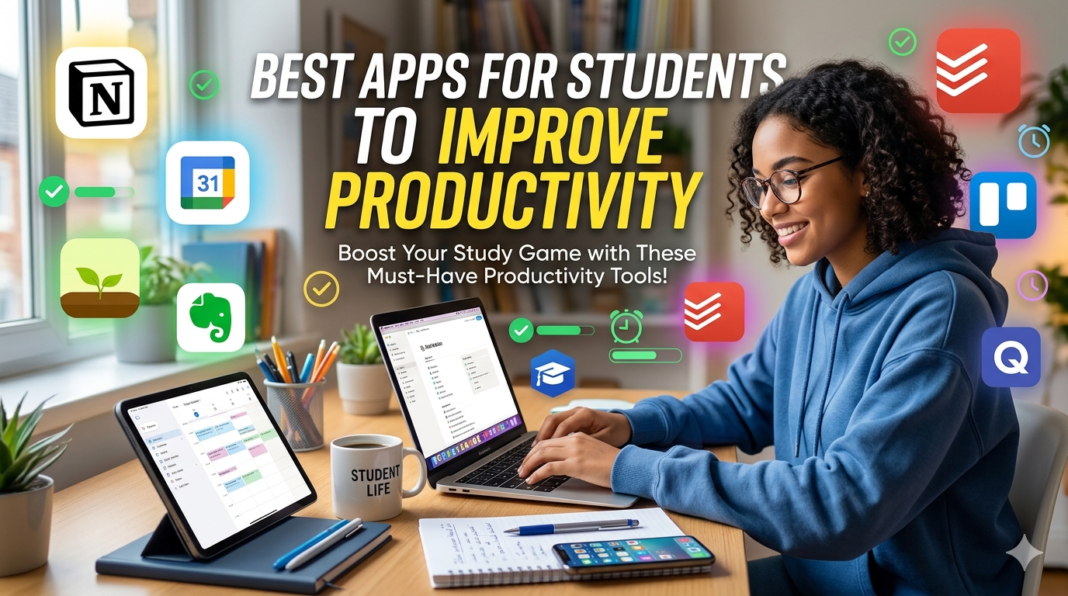
In the contemporary educational landscape, the ability to maintain high levels of productivity is essential for students. As academic demands increase, so does the need for effective strategies and tools that can facilitate improved performance. Productivity not only influences academic outcomes but also impacts overall student well-being. Consequently, harnessing technology has become an indispensable component of modern learning environments. This is where various applications come into play, offering solutions that help students optimize their time, manage tasks, and enhance their study routines.
A plethora of applications exists to aid students in cultivating better productivity habits. These tools encompass a wide range of functionalities, including task management, time tracking, note-taking, and collaboration features. The ideal productivity app can transform a chaotic study schedule into a streamlined process, allowing for more effective engagement with academic materials.
Moreover, integrating productivity apps can help students develop essential skills such as time management, prioritizing tasks, and maintaining focus during study sessions. As students learn to utilize these tools, they can experience a significant enhancement in their learning efficiency. This increased efficiency not only contributes to academic success, but also fosters a sense of accomplishment and motivation.
The upcoming sections of this blog post will delve deeper into specific applications recognized for their effectiveness in boosting productivity among students. By examining these tools, readers will gain insights into how technology can be leveraged to elevate academic performance and create a more organized approach to studying.
Popular Productivity Apps Overview
In the realm of education, productivity apps have become essential tools that help students enhance their effectiveness and manage their academic responsibilities more proficiently. These applications can be categorized into several types, each serving its unique purpose aimed at improving student productivity.
Firstly, task management apps are designed to assist students in organizing their assignments, tests, and projects systematically. By allowing users to create to-do lists and set reminders, these applications help ensure that important deadlines are not overlooked. Popular examples include Todoist and Microsoft To Do, which facilitate prioritization and tracking of tasks.
Next, note-taking apps play a crucial role in aiding students’ information retention and organization. These tools enable users to record and structure notes in various formats, such as text, audio, or images. Applications like Evernote and Notion enhance the learning experience by allowing students to easily organize their notes, making them searchable and accessible anytime.
Time tracking apps are another valuable category. They help students monitor how much time they spend on various tasks and activities. This self-awareness can lead to better time management practices and increased focus. Tools such as Toggl and Clockify are popular choices among students looking to optimize their study schedules and minimize procrastination.
Lastly, collaboration tools are indispensable for students working in groups or on joint projects. These applications allow multiple users to communicate and share resources seamlessly. Platforms like Google Workspace and Trello provide effective ways to collaborate, assign responsibilities, and keep track of each member’s contributions.
Overall, the diverse categories of productivity apps available to students demonstrate a commitment to enhancing academic performance and facilitating more efficient study habits. By harnessing the power of technology, students can manage their time, tasks, and resources effectively, ultimately leading to improved outcomes in their educational endeavors.
Task Management Apps
In the academic setting, students often find themselves juggling multiple responsibilities, including assignments, exams, and extracurricular activities. Task management apps have emerged as invaluable tools, assisting students in effectively organizing their to-do lists, setting deadlines, and prioritizing tasks to enhance productivity.
One of the most popular task management apps is Todoist. This application allows users to create tasks, assign due dates, and categorize assignments into projects. Its user-friendly interface makes it easy for students to navigate through their tasks, while features like reminders and recurring tasks ensure that important deadlines are never missed. Todoist also offers a collaboration feature, enabling students to share tasks and projects with peers, enhancing teamwork on group assignments.
Another noteworthy app is Asana. Primarily designed for team collaboration, Asana is also highly effective for individual task management. Students can create projects, add specific tasks with detailed descriptions, and set due dates. The timeline feature visually represents upcoming deadlines, helping students to foresee busy weeks and plan accordingly. Asana’s integration with various third-party applications further streamlines workflow, proving especially useful for those who utilize multiple platforms to manage their academic life.
Microsoft To Do provides a simple yet powerful solution for task management. With features such as daily planners and the ability to create lists, students can focus on their immediate priorities. The app seamlessly integrates with other Microsoft products, making it an excellent choice for users already invested in the Microsoft ecosystem. Additionally, the capability to break tasks down into smaller, manageable steps helps students tackle larger projects without feeling overwhelmed.
Each of these task management apps not only helps students stay organized but also fosters a greater sense of control over their academic responsibilities. By leveraging the unique features of platforms like Todoist, Asana, and Microsoft To Do, students can optimize their productivity and ultimately enhance their overall academic performance.
Note-Taking Applications
For students looking to enhance their productivity, efficient note-taking applications play a crucial role in capturing and organizing information. Among the most popular note-taking tools are Evernote, OneNote, and Notion. These applications offer a range of features tailored to meet the diverse needs of students.
Evernote is renowned for its versatility and ease of use. It allows users to create notes in various formats, including text, audio, and images. The ability to organize notes into notebooks and tags significantly streamlines the retrieval process. Furthermore, Evernote’s cloud storage feature ensures that notes are accessible across multiple devices, making it a convenient choice for students who switch between laptops, tablets, and smartphones.
On the other hand, Microsoft OneNote takes a more structured approach to note-taking. Its canvas-like interface allows students to draw, type, and insert media in a fluid manner. OneNote integrates seamlessly with other Microsoft Office applications, facilitating a cohesive workflow. Additionally, its search capabilities are impressive, enabling users to locate handwritten notes or typed content effortlessly.
Notion stands out for its unique blend of note-taking and task management functionalities. It enables students to create databases, to-do lists, and wikis alongside traditional notes. The flexibility of Notion allows for the customization of templates, which can cater to specific organizational styles. Its collaborative features also make it an excellent choice for group projects, as multiple users can edit documents and share ideas in real time.
In summary, the right note-taking application can significantly boost productivity for students. By leveraging tools like Evernote, OneNote, and Notion, students can capture essential information efficiently, ensuring that their study practices are as effective as possible.
Time Management Tools
Time management is crucial for students aiming to enhance their productivity, as it allows them to optimize their schedules effectively. Several applications serve to aid in this endeavor, providing various features designed to help track and manage time efficiently. Among the popular choices are Trello, RescueTime, and Clockify, each offering unique functions that cater to different productivity needs.
Trello is a versatile project management tool that utilizes boards, lists, and cards to organize tasks visually. Students can create boards for different subjects or projects, allowing them to prioritize assignments and deadlines accordingly. By breaking down larger tasks into manageable cards, Trello helps users visualize their workload and progress, facilitating more effective time allocation.
RescueTime, on the other hand, focuses on tracking how students spend their time on various activities. By running discreetly in the background, it categorizes the time spent on applications and websites, providing reports and insights into productivity habits. This data allows students to identify time-wasting distractions and adjust their usage behaviors, ultimately leading to improved focus and better time management.
Clockify is another noteworthy option, offering an intuitive time-tracking experience. It allows users to log work hours manually or automatically, providing an overview of how time is spent across different tasks. Clockify enables the creation of detailed reports that can be used to analyze productivity levels over time. This insight is beneficial for students who need to balance their academic commitments with extracurricular activities.
In summary, utilizing time management tools such as Trello, RescueTime, and Clockify not only enhances productivity but also helps students develop essential skills in prioritizing and allocating their time wisely. With the right apps, students can minimize distractions and achieve a more structured approach to their studies.
Collaboration and Communication Platforms
In an academic setting, effective collaboration and communication are crucial for students working on group projects. Various platforms have emerged to enhance these aspects, allowing team members to connect and work together seamlessly, regardless of their physical locations. This section explores three popular tools: Slack, Google Drive, and Microsoft Teams, each designed to facilitate collaborative efforts among students.
Slack is a widely used messaging platform that offers organized communication channels, enabling students to discuss topics relevant to their project without losing track of important information. The ability to create dedicated channels for different subjects or tasks fosters focus and ensures that discussions remain pertinent. Additionally, students can share files directly within Slack, making it easy to access necessary documents, resources, and updates in real-time. Integrations with other apps further enhance its utility, streamlining workflows.
Google Drive serves as an essential tool for document sharing and co-editing. Students can create, store, and collaboratively edit a range of files, including documents, spreadsheets, and presentations. This cloud-based service provides the added advantage of version control, which allows users to track changes and revert to previous versions if necessary. By enabling real-time collaboration, Google Drive enhances productivity, allowing students to focus on project goals rather than navigating logistical barriers.
Microsoft Teams offers a comprehensive solution combining text, audio, and video communication along with file sharing. Integrated with Microsoft 365, it allows students to utilize familiar applications such as Word, Excel, and PowerPoint during their collaborative efforts. Teams support customized channels, ensuring that project discussions remain organized and easily accessible. Furthermore, built-in meeting functionalities facilitate efficient planning sessions, allowing teams to connect virtually without complications.
As students navigate group projects, these collaboration and communication platforms empower them to enhance productivity through effective teamwork and streamlined processes. By leveraging tools like Slack, Google Drive, and Microsoft Teams, students can foster a collaborative atmosphere conducive to achieving academic success.
Study and Learning Aids
With the increasing demands of academic life, students are constantly seeking effective ways to enhance their learning experiences. This is where study and learning aids become invaluable. Various applications have emerged that cater specifically to the needs of students, focusing on reinforcing knowledge retention and improving study efficiency. Among the most popular are Quizlet and Anki, both of which utilize scientifically-backed techniques to optimize learning outcomes.
Quizlet, a widely recognized study app, enables students to create interactive study materials such as flashcards, quizzes, and games. Users can engage in active recall through its diverse study modes, which promote better retention of information. Additionally, Quizlet allows users to collaborate and access study sets created by peers, making it a versatile tool for collective learning.
On the other hand, Anki employs a method known as spaced repetition—a learning technique that spaces out review sessions for better memorization. Anki’s algorithm intelligently schedules flashcards based on individual performance, ensuring that students review challenging concepts more frequently while allowing easier topics to be revisited less often. This personalized approach helps to maintain engagement and enhances long-term retention of material.
Both Quizlet and Anki support various subjects and cater to different learning styles, making them particularly valuable for students in any academic discipline. By integrating these applications into their study routines, students can benefit from structured learning frameworks that actively engage them in their education. As educational tools continue to evolve, incorporating such study aids can lead to improved productivity and a deeper understanding of academic content.
Mental Health and Well-Being Apps
In today’s fast-paced academic environment, maintaining a balance between productivity and mental health is crucial for students. Recognizing this need, various applications, such as Headspace and Calm, have emerged as valuable tools to help students manage their mental well-being and promote mindfulness.
Headspace is an app that offers guided meditation and mindfulness exercises designed to help users cultivate a sense of calm and focus. With a wide range of sessions tailored to different needs, from reducing stress to improving sleep quality, Headspace assists students in navigating their busy schedules with greater ease. Scientific studies have shown that consistent mindfulness practice can lead to improved attention spans, thus enhancing overall productivity.
Similarly, Calm is another popular application focused on meditation, sleep, and relaxation techniques. It provides users with soothing music, sleep stories, and breathing exercises, aimed at alleviating anxiety and promoting mental clarity. Students often grapple with stress from academic pressures, and utilizing Calm can create a necessary respite, allowing them to recharge and approach their studies with renewed energy.
Integrating these mental health apps into daily routines can significantly impact a student’s overall productivity. By prioritizing mental well-being, users are likely to experience not only reduced stress levels but also improved focus and motivation. As productivity should encompass both effective time management and mental clarity, students are encouraged to explore these mental health applications to support their academic journey.
Engaging with mental health resources like Headspace and Calm highlights the importance of holistic approaches to productivity. By recognizing the interplay between mental health and task completion, students can develop strategies that foster both academic success and personal well-being.
Conclusion
In evaluating the best applications for students to enhance their productivity, it becomes evident that the right tools can significantly influence academic success. Throughout this discussion, we examined several critical applications, each offering unique resources tailored to meet diverse study habits and preferences. From organization and task management apps to study aids and collaboration tools, these applications not only streamline the learning process but also help students develop essential skills such as time management and self-discipline.
Moreover, the integration of technology into daily academic routines encourages adaptability and fosters a more engaging learning environment. By utilizing these apps, students can create a personalized approach to their studies, enabling them to tackle assignments more effectively and efficiently. The importance of finding the right application for one’s personal style cannot be overstated, as each individual may respond differently to various features offered by these platforms.
Ultimately, investing time in researching and incorporating these productivity-enhancing applications can empower students to take control of their academic journeys. As they explore these tools, they gain the ability to optimize their study sessions, improve focus, and enhance their overall performance. Therefore, students are encouraged to experiment with these applications, discover what resonates with their learning preferences, and attain their academic goals with greater ease.