
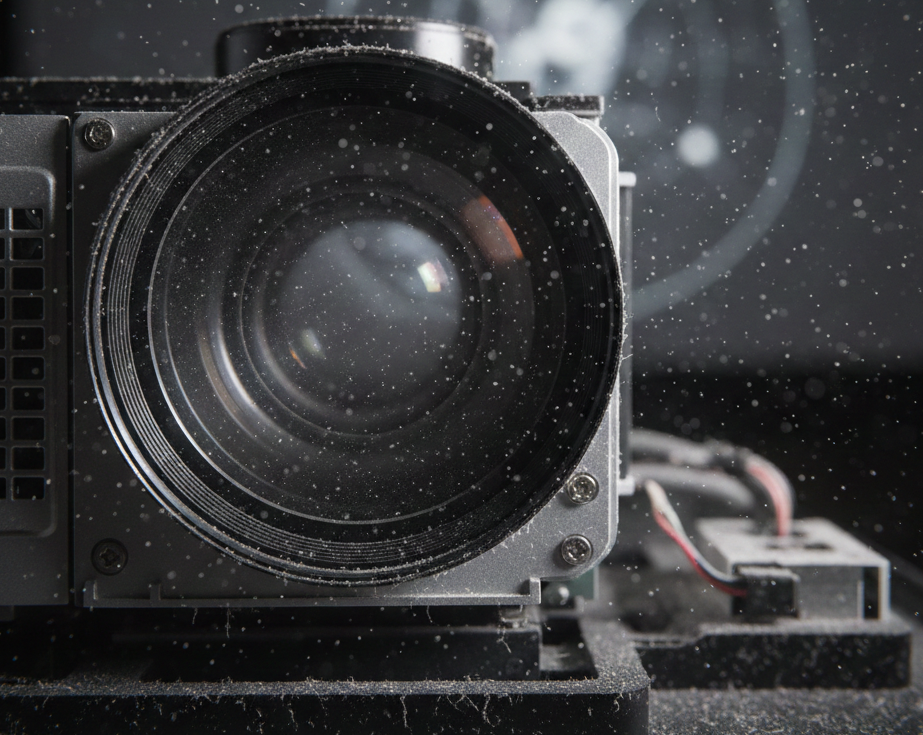


Projectors can transform any space into a cinematic experience, but have you ever thought about what diminishes that picture-perfect moment? Dust in projector lenses is often the unseen enemy lurking behind vibrant images. It’s easy to overlook, yet it can significantly impact your viewing experience. Whether you’re using a projector for movie nights, presentations, or gaming marathons, understanding where this dust comes from and how to combat it is essential. Let’s dive into the sources of dust that invade our beloved projectors and explore effective ways to keep them crystal clear.
Sources of dust in projector lenses:
Dust in projector lenses can come from various sources, significantly affecting image quality.
Environmental factors play a crucial role. Airborne particles like pollen, pet dander, and dust from construction or outdoor activities easily settle on projector surfaces. Humidity also contributes to this issue by causing these particles to clump together.
Human factors are just as impactful. Handling projectors without proper care can introduce oils and dirt from our hands onto the lens. Cleaning methods that aren’t suitable may inadvertently scratch or damage delicate components, allowing more dust to accumulate over time.
Even the space where you use your projector matters. Areas with high traffic or insufficient ventilation tend to have increased dust levels, making it easier for debris to invade sensitive parts of the device.
– Environmental factors (airborne particles, humidity)
Environmental factors play a significant role in the presence of dust in projector lenses. Airborne particles are everywhere, drifting through our homes and offices. These tiny specks can include pollen, pet dander, and even microscopic pieces of dirt.
Humidity is another critical aspect to consider. High humidity levels can cause airborne particles to cling together, forming larger clumps that are more likely to settle on surfaces like your projector lens.
Mold spores also thrive in humid conditions. If they land on your lens, they can not only obstruct the image but potentially damage internal components as well.
Even seemingly clean environments aren’t immune. Dust from nearby construction sites or outdoor activities may find its way inside with open windows or doors, making it essential to be vigilant about dust control around projectors.
– Human factors (handling, cleaning)
Human interaction plays a significant role in the accumulation of dust in projector lenses. Every time you handle your projector, tiny particles from your skin and clothing can transfer to its surfaces.
Cleaning methods also contribute to this issue. Using improper cloths or cleaners can scratch the lens, making it easier for dust to settle over time. Even regular cleaning routines need to be done carefully; otherwise, they might inadvertently introduce more dirt than they remove.
Additionally, where you store or use your projector matters. A cluttered workspace or dusty environment will only increase exposure during setup and teardown processes.
Being mindful about handling practices is essential for maintaining clarity and performance in your projections. Taking a few extra precautions while cleaning can go a long way toward keeping those lenses free from unwanted debris.
Impact of dust on projector performance
Dust in projector lenses can significantly impair image quality. Even a thin layer of dust can dull colors and reduce contrast, making images appear washed out.
When light passes through a dusty lens, it scatters rather than focusing sharply on the screen. This scattering compromises clarity and sharpness, leaving viewers with an unsatisfactory experience.
Moreover, dust accumulation can lead to overheating issues. Dust often clogs ventilation systems within projectors, causing them to work harder and potentially shortening their lifespan.
Regularly neglected devices may also require more intensive repairs later on. The buildup doesn’t just affect immediate performance but could signal deeper problems if left unchecked.
For anyone relying on projectors for presentations or entertainment, maintaining clear lenses is essential for optimal viewing experiences.
How to prevent dust buildup in projector lenses:
To keep dust from accumulating in projector lenses, proper storage is essential. Always store your projector in a clean, dry environment. Use protective cases or covers when it’s not in use. This simple step can shield your device from airborne particles.
Handling plays a significant role too. When setting up or moving the projector, avoid touching the lens directly. Wear gloves if possible to minimize oil and dirt transfer.
Regular cleaning should be part of your maintenance routine. Utilize a microfiber cloth specifically designed for optics to gently wipe the lens surface regularly.
Consider using air purifiers in rooms where you frequently use projectors. They help reduce airborne dust levels significantly, creating a cleaner environment for both you and your equipment.
– Proper storage and handling techniques
Proper storage is crucial for preserving your projector lenses. Always keep them in a dust-free environment. A dedicated case or bag can work wonders.
Handle the projector with care. When moving it, avoid touching the lens directly; use a microfiber cloth if necessary. This simple act minimizes smudges and scratches.
Maintain optimal humidity levels where you store your equipment to prevent moisture buildup. High humidity can attract dust and lead to condensation inside the lens.
Ensure that your storage area is clean and organized. Regularly wipe down surfaces to reduce airborne particles that could settle on your gear.
Always position the projector securely to prevent accidental falls or bumps, which might create openings for dust entry.
– Regular cleaning and maintenance
Regular cleaning and maintenance of projector lenses are crucial for ensuring optimal performance. Dust can accumulate quickly, impacting image quality and brightness.
Start by using a microfiber cloth to gently wipe the lens surface. This helps remove smudges or fingerprints without scratching the glass. Avoid harsh chemicals, as they can damage coatings on your lenses.
Schedule routine checks based on usage frequency. If you use your projector often, consider cleaning it every few weeks. For occasional users, a monthly schedule may suffice.
Additionally, keep an eye on the projector’s air filters. Clogged filters can lead to increased dust circulation within the unit itself. Cleaning these regularly extends not only lens life but also overall device longevity.
It’s wise to follow manufacturer guidelines for maintenance procedures specific to your model. Adhering to these recommendations ensures that you maintain high-quality visuals while safeguarding your investment in technology.
Potential solutions for removing dust from projector lenses
Removing dust from projector lenses can be a delicate task. Start by using a soft, lint-free microfiber cloth. This will prevent scratches while effectively lifting dust off the surface.
For stubborn particles, consider using a blower or compressed air. These tools can dislodge debris without direct contact with the lens.
If you encounter smudges, apply a few drops of lens cleaning solution to your cloth. Gently wipe in circular motions to avoid streaks.
Regular maintenance is essential too. Create a routine for checking and cleaning your projector every few months based on usage frequency.
Store the projector in a protective case when not in use. Keeping it covered minimizes exposure to airborne particles that contribute to dust buildup over time.
Taking these proactive steps ensures clarity and enhances overall performance during presentations or movie nights.
Conclusion: The importance of keeping projector lenses dust-free for optimal performance
Keeping projector lenses free from dust is essential for maintaining optimal performance. Dust in projector lenses can lead to reduced image quality, creating distractions during presentations or movie nights. Not only does it affect the clarity of visuals, but it can also cause overheating and damage over time.
By understanding the sources of dust—both environmental and human—you can take proactive steps to minimize its impact. Implementing proper handling techniques and regular cleaning routines will extend the lifespan of your equipment while ensuring sharp, vibrant images.
Being diligent about maintaining a dust-free environment for your projector goes a long way in achieving stunning displays every time you switch it on. Prioritizing this simple yet crucial aspect enhances not just the performance but also your overall viewing experience.