
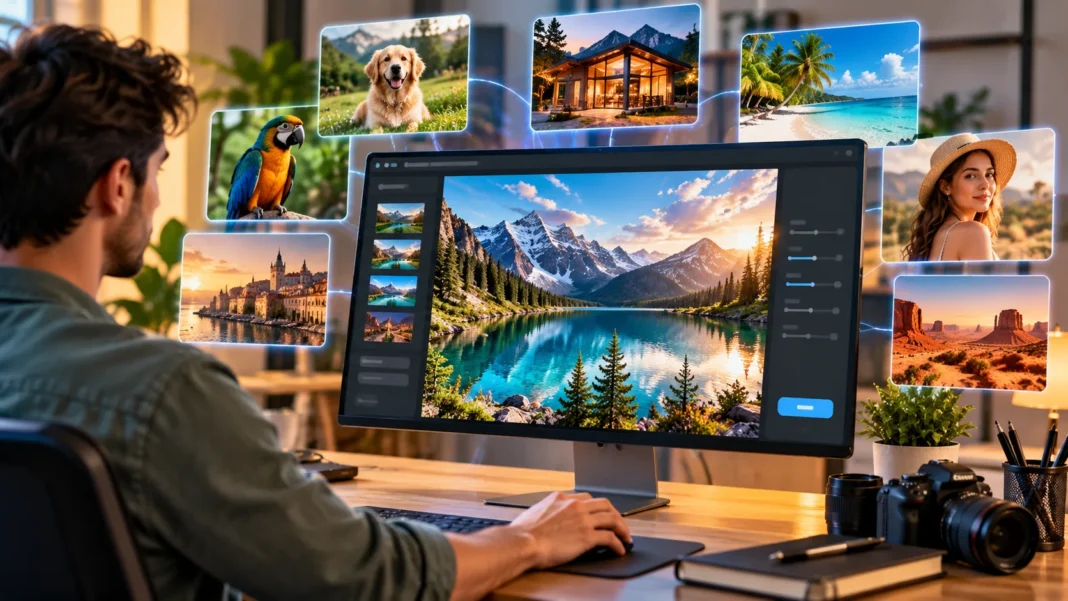


Artificial intelligence has transformed the way people create digital images, making it possible to produce realistic photographs, illustrations, and visual concepts without traditional photography equipment. Modern AI image generators can create detailed scenes, natural-looking environments, and lifelike subjects using simple text instructions. Whether you are a content creator, designer, marketer, or beginner, learning how to generate realistic images with AI can help you create professional-looking visuals.
AI-generated images are becoming increasingly useful for website content, blog posts, social media campaigns, product concepts, and creative projects. Instead of searching through large collections of stock photographs, users can describe the image they want and let an AI tool create a unique visual interpretation. However, producing photorealistic AI images requires more than entering a few random words.
Understanding prompt writing, lighting, composition, camera perspectives, and image editing can significantly improve the quality of AI-generated visuals. Choosing the right AI image generator and refining instructions are also essential for consistent results. This guide explains how to create realistic AI images step by step, explores popular tools, and shares practical techniques for achieving natural-looking results.
What Are Realistic AI-Generated Images?
Realistic AI-generated images are digital visuals created using artificial intelligence to resemble photographs or believable real-world scenes. These images may depict landscapes, buildings, food, products, animals, or fictional people. Their appearance can include natural lighting, detailed textures, realistic shadows, and convincing photographic composition.
Unlike traditional photographs, AI-generated images do not necessarily capture events that happened in the real world. Instead, an AI model creates visual content based on patterns learned during training and the instructions provided by the user. The resulting image can appear photographic even when the scene is entirely fictional.
Photorealistic AI images are useful when a project requires a specific visual concept that would otherwise be difficult to photograph. However, realistic appearance does not guarantee factual accuracy. Users should distinguish AI-created visuals from authentic documentary photography, especially when presenting images involving real people, places, products, or events.
How Does AI Image Generation Work?
AI image generation uses machine learning models trained to recognize relationships between visual features and language descriptions. Many modern systems use diffusion-based approaches to generate images from learned patterns. These models interpret text prompts and create images that attempt to match the requested subjects, settings, and visual characteristics.
When someone enters a prompt describing a mountain landscape at sunrise, the model identifies concepts related to mountains, sunlight, atmospheric conditions, and photographic style. It then generates a visual interpretation of those instructions. The result depends on the model’s capabilities, prompt clarity, and available generation settings.
AI image generators can also support editing, variations, and reference-based transformations. Some allow users to modify existing photographs or adjust selected regions without recreating the entire image. Understanding these capabilities helps creators choose suitable workflows and refine their results more efficiently.
Choose the Best AI Image Generator
Choosing the right AI image generator is an important first step toward producing realistic visuals. Different platforms vary in photographic quality, editing capabilities, prompt interpretation, image dimensions, and commercial usage conditions. Comparing these features helps users select tools that match their specific creative requirements.
Popular options include ChatGPT image generation, Midjourney, Adobe Firefly, and various Stable Diffusion-based applications. Some emphasize ease of use, while others provide detailed creative controls and customization. Availability, pricing, licensing, and supported features may change, so checking official product information is useful before selecting a platform.
Beginners may prefer tools with simple text interfaces and convenient image editing features. Experienced creators may benefit from systems that offer more control over references, composition, and generation settings. The best tool is one that consistently produces suitable images while fitting your workflow, budget, and usage requirements.
Write Detailed Prompts for Realistic AI Images
A well-written prompt is one of the most important factors influencing AI image quality. Instead of providing a vague description, explain the main subject, setting, lighting, composition, and desired visual style. Clear instructions help the model understand the appearance and atmosphere you want to create.
For example, a prompt requesting a realistic modern living room can describe natural sunlight, neutral furniture, wooden flooring, and a wide-angle photographic perspective. These details provide more direction than simply requesting a beautiful room. They also help establish a consistent visual concept.
Avoid adding excessive or contradictory instructions that may confuse the image generator. Focus on the details that matter most to the final image. A clear, structured prompt often produces more useful results than a long collection of unrelated descriptive terms.
Use Natural Lighting for Photorealistic Results
Lighting is one of the strongest visual elements affecting whether an AI-generated image looks realistic. Natural photographs contain believable highlights, shadows, reflections, and differences in brightness. Describing the lighting environment in your prompt helps the AI create a more convincing scene.
Soft morning light, overcast daylight, window illumination, and warm evening sunlight can produce different photographic effects. For example, diffused window light may suit interior photography, while golden-hour lighting can enhance outdoor landscapes. Each approach influences the mood, color, and appearance of surrounding objects.
Extremely dramatic lighting can be visually attractive but may appear artificial when applied excessively. For realistic results, describe lighting that naturally fits the setting. Consistent shadow direction, realistic exposure, and appropriate contrast contribute to images that resemble professional photography.
Choose Realistic Camera Angles and Perspectives
Camera perspective strongly influences the realism of AI-generated images. Photographs are typically captured from recognizable viewpoints, such as eye level, overhead, or a low angle. Describing a suitable camera position helps the model arrange subjects and background elements more naturally.
For interior photography, a wide-angle viewpoint may help display furniture placement and room dimensions. Food photography often benefits from overhead or close-up perspectives, while landscapes can look attractive with a balanced foreground and distant background. The appropriate angle depends on the subject and intended use.
Avoid combining incompatible camera perspectives in the same prompt unless the concept specifically requires an unusual effect. A clear photographic viewpoint helps maintain consistent proportions and spatial relationships. This is particularly important when generating architectural scenes, product photographs, and images containing several objects.
Improve Image Realism With Textures and Details
Realistic photographs contain surface details that help viewers recognize materials and physical objects. Wood grain, fabric texture, glass reflections, stone surfaces, and natural skin texture contribute to believable images. Describing these characteristics can help AI generators create more convincing visual results.
For example, a realistic kitchen image may include subtle wood grain on cabinets, natural reflections on countertops, and believable shadows beneath furniture. These details provide visual depth and help distinguish materials. However, excessive texture enhancement can make surfaces appear unnaturally sharp.
The goal is to balance detail with natural variation. Real photographs contain imperfections, changes in lighting, and differences in focus. Including appropriate texture descriptions while avoiding unrealistic perfection can make an AI-generated image appear more authentic.
Use Photography Styles to Improve AI Images
Photography styles provide useful guidance when generating realistic images with AI. Describing an image as editorial photography, product photography, architectural photography, or documentary-style photography can influence composition and visual treatment. These terms help communicate the intended appearance without requiring highly technical instructions.
For example, editorial food photography often emphasizes natural presentation, appealing lighting, and carefully arranged ingredients. Architectural photography may focus on straight lines, balanced composition, and realistic room proportions. Product photography generally prioritizes accurate shapes, clean backgrounds, and clearly visible details.
Choose a photography style that supports the purpose of your image rather than adding several conflicting styles. A consistent visual direction makes the final result easier to evaluate and refine. Matching the photographic approach to your content also improves the overall presentation of blogs, websites, and marketing materials.
Generate Realistic AI Images Step by Step
Creating a realistic AI image begins with identifying the visual concept and its intended purpose. Decide whether you need a landscape, interior scene, product photograph, or another type of image. Consider where the visual will appear and which details are essential for communicating your message.
Next, choose an AI image generator and enter a prompt describing the subject, environment, lighting, perspective, and visual style. Select appropriate dimensions or aspect ratios when the platform supports them. Generate an initial result and evaluate whether the image matches your requirements.
Refine the prompt based on visible problems, such as incorrect object proportions, unsuitable lighting, or missing details. You may need several iterations to achieve the desired result. Saving successful prompt structures can make future image generation more consistent and efficient.
How to Generate Realistic AI Images of People
Creating realistic AI images of people requires attention to facial proportions, clothing, body positioning, and natural lighting. Prompts should describe the person’s activity, surroundings, and photographic composition rather than relying only on appearance-related adjectives. Everyday settings can help create believable lifestyle images.
Natural expressions, ordinary clothing details, and realistic interactions with the environment contribute to photographic authenticity. For example, an image of a fictional person reading in a cafe may include window lighting, a relaxed posture, and background furniture. These details create context without requiring exaggerated visual effects.
AI generators can sometimes produce inaccurate hands, facial features, or physical interactions. Reviewing these elements carefully is important before publishing. Images of fictional people should not be presented as authentic photographs of real individuals, and real people’s likenesses should be used respectfully with appropriate permissions.
How to Create Realistic AI Landscape Images
Landscape photography is one of the most popular applications of AI image generation. Users can create realistic mountains, forests, beaches, deserts, lakes, and other natural environments. Effective landscape prompts describe the location type, weather conditions, time of day, and overall photographic viewpoint.
For example, a mountain landscape prompt might include distant snow-covered peaks, a peaceful valley, natural morning light, and realistic atmospheric haze. These details establish depth and environmental consistency. Including foreground elements such as rocks or vegetation can also improve the overall composition.
When creating travel-related images, distinguish fictional scenery from genuine photographs of specific destinations. AI tools may generate landscapes that resemble famous places while introducing inaccurate geographic features. For informational travel content, real photography is generally more appropriate when exact location accuracy matters.
How to Generate Realistic Product Images With AI
AI product photography can help businesses visualize packaging concepts, advertising layouts, and creative product presentations. A realistic product image should feature clear proportions, believable materials, and appropriate lighting. Clean backgrounds or natural lifestyle settings can be selected according to the intended marketing purpose.
When generating a conceptual product scene, describe the product category, material, surface, background, and camera viewpoint. For example, a skincare bottle may be placed on a neutral countertop with soft studio lighting. These details help create a professional-looking visual composition.
However, AI-generated product images may contain inaccurate labels, shapes, or functional details. Businesses should use authentic product references and verify that visuals accurately represent items being sold. Misleading product imagery can confuse customers and damage trust, particularly when appearance or specifications influence purchasing decisions.
Create Realistic AI Images for Blog Posts
AI-generated images can support blog content by illustrating topics that are difficult to photograph or require a specific visual concept. Lifestyle, home improvement, business, education, and technology articles may benefit from carefully planned visuals. The image should reinforce the article’s subject rather than serve as unrelated decoration.
Start by identifying the main topic and choosing a scene that clearly represents it. For example, a home renovation article might feature a realistic interior painting project, while an energy-efficiency article could show a naturally lit home environment. Matching the visual to search intent helps create a more useful reader experience.
Image quality is particularly important for featured images displayed in search previews and social sharing. Choose appropriate dimensions, avoid misleading details, and ensure the visual remains clear on smaller screens. Original, relevant imagery can improve content presentation, although image generation alone does not guarantee better search rankings.
Choose the Right AI Image Size and Aspect Ratio
Image dimensions and aspect ratio influence how well a generated visual fits its intended platform. A wide landscape image may work well as a blog featured image, while square and vertical formats are common for different social media placements. Selecting the correct format early can reduce unnecessary cropping.
For example, a 1280 × 720-pixel image uses a 16:9 aspect ratio and can work well for many website banners and article visuals. Square images use a 1:1 ratio, while portrait layouts provide additional vertical space. The ideal format depends on the website design and intended display area.
Some AI platforms generate only selected image sizes or aspect ratios. In these cases, cropping or resizing may be necessary after generation. Preserve the main subject and important details when adjusting dimensions, and avoid stretching images in ways that distort their proportions.
Use Negative Prompts to Avoid Unwanted Details
Some AI image generators support negative prompts, which tell the model which visual elements should be minimized or excluded. These instructions can help reduce unwanted objects, text overlays, exaggerated effects, or distracting background details. However, support for negative prompting varies between platforms.
For example, a realistic interior image may benefit from instructions excluding visible watermarks, unnecessary text, distorted furniture, or artificial-looking lighting. The goal is to create a cleaner composition that matches the original concept. Positive descriptions of desired elements are often equally important.
Negative prompts do not guarantee perfect results because image models may interpret them differently. If unwanted details remain, revise the main prompt or use available editing tools. Clear instructions combined with careful review generally produce more reliable outcomes than relying on exclusion terms alone.
Edit and Refine AI-Generated Images
Generating an image is often only the first stage of creating a polished visual. Editing tools can help adjust lighting, remove unwanted objects, improve composition, or correct inconsistent details. Some AI platforms allow users to modify selected image areas while preserving the surrounding scene.
For example, an image may contain an unrealistic background object or a misplaced reflection. A targeted edit can sometimes correct the problem without changing the entire composition. Traditional photo editing tools may also be useful for cropping, color correction, and preparing the final file.
Avoid excessive sharpening, saturation, or artificial enhancement when aiming for photorealism. Small adjustments often produce more believable results than dramatic transformations. Reviewing the edited image at its intended display size helps confirm that it remains visually consistent and suitable for publication.
Common Mistakes When Generating Realistic AI Images
One common mistake is writing prompts that are too vague to establish a clear visual concept. Instructions such as “make a beautiful image” provide little information about composition, subject placement, or lighting. More specific descriptions help the model produce results closer to your expectations.
Another mistake is combining too many conflicting instructions in a single prompt. Asking for multiple camera angles, lighting conditions, or unrelated photographic styles may create inconsistent images. Prioritizing the most important visual details generally makes prompts easier to interpret and refine.
Users may also publish generated images without checking for inaccurate objects, distorted features, or misleading content. Even realistic-looking visuals can contain subtle errors. Reviewing each image carefully and correcting problems before publication helps maintain visual quality and credibility.
Best Practices for Using AI Images on Websites
AI-generated images should support the content and provide a useful visual experience for readers. Choose images that accurately represent the article topic, fit the website’s design, and display clearly across devices. Avoid adding large quantities of repetitive visuals that provide little additional value.
Optimizing image files can also improve website performance. Suitable formats such as WebP, AVIF, or appropriately compressed JPEG may help reduce file size while preserving visual quality. Descriptive filenames and meaningful alternative text can improve accessibility and help explain image content to search engines.
Website owners should also review the image generator’s licensing conditions and applicable disclosure requirements. AI-generated imagery should not misrepresent real products, people, or events. Maintaining transparency and relevance helps support reader trust while allowing creative use of AI-generated visual content.
Are AI-Generated Images Good for SEO?
AI-generated images can be useful for SEO when they are relevant, high-quality, and properly integrated into helpful website content. Search engines can evaluate image-related information such as surrounding text, filenames, and alternative descriptions. However, using AI images does not automatically improve rankings or organic traffic.
Relevant visuals may make articles easier to understand and more engaging for readers. For example, a clear illustration of a home improvement concept can help explain the topic. The image should provide genuine value rather than simply filling empty space on the page.
Technical optimization also matters because unnecessarily large image files can slow page loading. Compressing images, using responsive dimensions, and providing useful alt text can improve website accessibility and performance. Successful image SEO depends on overall content quality, relevance, and technical implementation rather than the generation method alone.
Ethical Considerations When Creating AI Images
Realistic AI images raise important questions about authenticity, consent, and responsible communication. Because generated visuals can resemble genuine photographs, viewers may mistakenly assume they depict real events. Creators should consider whether a realistic image could mislead people about a person, location, product, or situation.
Avoid presenting fictional AI-generated people as real customers, employees, experts, or eyewitnesses. Similarly, images of events or destinations should not be used as documentary evidence when they were artificially created. Appropriate labeling and truthful context can help maintain transparency.
Commercial users should also review intellectual property rules, platform terms, and relevant regulations. Respecting personal likenesses and avoiding misleading visual claims are important parts of responsible image creation. Ethical practices help ensure that AI-generated visuals support creativity without undermining audience trust.
Conclusion
Learning how to generate realistic images with AI involves understanding prompt writing, photographic composition, lighting, and image refinement. Modern AI image generators can create detailed visuals for websites, marketing campaigns, creative projects, and educational content. However, achieving convincing results requires clear instructions and careful evaluation rather than relying entirely on automatic generation.
The most effective workflow begins with selecting a suitable AI tool and describing the subject, environment, lighting, and camera perspective. Reviewing the initial result and making targeted improvements helps create more believable images. Appropriate dimensions and file optimization also make generated visuals more practical for online use.
AI image generation offers exciting opportunities for creators who need original visual concepts without traditional photography resources. By combining thoughtful prompts, realistic styling, responsible editing, and ethical publishing practices, you can produce attractive and useful images. As the technology develops, these skills can remain valuable for a wide range of digital creative projects.
Frequently Asked Questions (FAQs)
How can I generate realistic images using AI?
Choose an AI image generator and write a detailed prompt describing the subject, background, lighting, camera angle, and photographic style. Review the result and refine the prompt to improve realism.
Which AI tools are best for realistic image generation?
ChatGPT image generation, Midjourney, Adobe Firefly, and Stable Diffusion-based tools are popular options. The best choice depends on image quality, editing features, ease of use, pricing, and licensing requirements.
How do I make AI images look more like real photographs?
Use realistic lighting, natural textures, believable proportions, and consistent camera perspectives. Avoid excessive visual effects and review generated details carefully. Targeted editing can help correct unnatural objects or inconsistent features.
Can I use AI-generated images for my website?
Yes, AI-generated images can be used on websites when permitted by the tool’s terms and applicable laws. Ensure the visuals are relevant, properly optimized, and do not misrepresent real people or products.
What is the best image size for AI-generated blog images?
A 1280 × 720-pixel image is a useful 16:9 format for many blog featured images. However, the ideal dimensions depend on your website layout, image quality requirements, and display settings.