
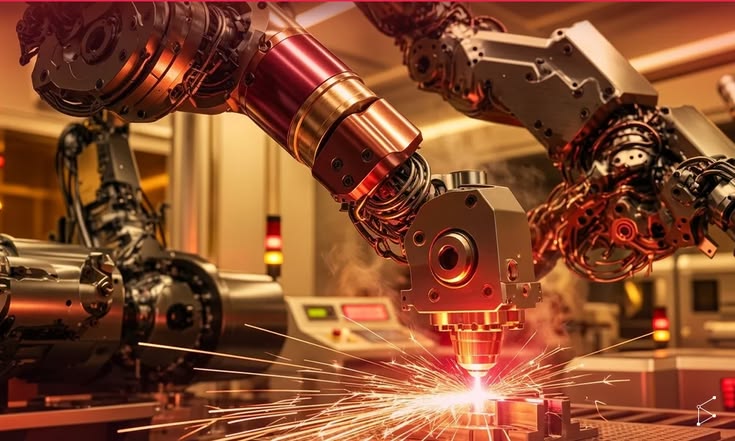


When you are planning to start a laser business in the UK, the CO2-versus-fibre question comes up before almost anything else. The honest answer is that neither is better in general. While both are suitable for business, they use different wavelengths, they work on different materials, and they serve opposite markets. The right choice depends on what you plan to sell, so this guide starts with the product and works backwards to the machine.
The Core Difference: What Each Laser Can Process
A CO2 laser produces a wavelength that organic and non-metallic materials absorb well. A fibre laser produces a much shorter wavelength that bare metals absorb well, and most organic materials simply let it pass through. That one physical fact explains nearly every recommendation below.
| CO2 laser | Fibre / MOPA laser | |
| Best materials | Wood, acrylic, leather, paper, card, rubber, textiles, glass, some coated metals | Stainless steel, carbon steel, aluminium, brass, copper, titanium, slate, some hard plastics |
| Cannot do | Cut or directly engrave bare metal | Cut or process wood, acrylic, paper and other organics |
| Upfront cost | Generally lower | Generally higher |
| Maintenance | Mirror alignment, optics cleaning, tube replacement over time | Very low; no mirrors to align and no gas tube |
CO2 Lasers: Pros and Cons
- Where CO2 shines. Most craft-led start-ups begin here, and for good reason. The range of products you can make from non-metals is huge: personalised wooden gifts, acrylic cake toppers, leather goods, signage, display stands and architectural models. CO2 machines also cut thick non-metal material and leave smooth edges, which matters for signage and models.
- The trade-offs. CO2 systems need more looking after. Mirrors need to be kept in alignment, lenses and mirrors need cleaning, and the laser tube is a consumable part that eventually needs replacing. Cutting thin sheet metal is also slow or impractical compared with a fibre laser, and bare metal can’t be engraved directly. For dark, permanent marks on metal, CO2 users rely on marking compounds or coated materials.
Fibre Lasers: Pros and Cons
- Where fibre shines. Fibre lasers are fast and precise on metal. They’re used for marking tools, engraving jewellery, producing metal business cards and serialising industrial parts. They have no mirrors to realign and no gas tube to burn out, run efficiently, and typically cost less to operate per hour over the life of the machine.
- The trade-offs. The purchase price is significantly higher, which can be a real barrier for a brand-new business, and the range of materials is narrow. If a customer asks for a walnut chopping board or an acrylic sign, a fibre laser simply can’t help.
Which Is Better for a UK Start-Up?
Match the machine to the business you want to run.
Choose CO2 if you want to make:
- Gifts and personalised wooden items
- Acrylic cake toppers, wedding signage and display pieces
- Leather goods such as wallets, patches and notebook covers
- Architectural and prototype models
Choose fibre if you want to run:
- Metal marking and serialisation for trade customers
- Custom knife and tool branding
- Jewellery and engraved metal accessories
- A metal-component or fabrication business
In the UK, the craft and gift market is large and well established. Etsy, local craft fairs, wedding suppliers and small-business gifting all reward customised wood, acrylic and leather items, which is why most first-time owners start with CO2. If your customers are tradespeople, engineers and manufacturers, a fibre laser is the more natural choice.
A Few Practical Points Before You Buy
- Start from your first ten products. List what you plan to sell in your first few months, then check each item against the machine’s material compatibility. If two or three of those items need a different laser type, think carefully before buying.
- Check the working area. A 300 × 200 mm bed is fine for coasters and small gifts, but wedding signs and larger plaques need more room.
- Plan for proper ventilation. CO2 cutting produces smoke and fumes, so you’ll need extraction to the outside or a suitable filter.
- Think about software. Look for machines that work with LightBurn or similar widely used software, since it makes design and setup much easier.
- Budget for running costs. Include lenses, replacement parts and consumables, not just the purchase price.
Where OMTech Fits
OMTech UK stocks both technologies, so you can compare them side by side. On the CO2 side, OMTech’s collection of CO2 laser cutters covers everything from small desktop machines to larger-format cutters. Current examples include the 40W K40+ at £649, the Turbo-535 at £1,599 and the Polar Lite at £1,899, a closed desktop machine with a camera for positioning designs on your material. These suit gift makers, sign makers and anyone building a wood, acrylic or leather business.
On the metal side, the OMTech MOPA and fibre laser range is aimed at marking and engraving on bare metals, with MOPA models offering finer control for colour-marking stainless steel and anodised aluminium. These make sense if your business plan is built around metal.Prices change, so check the product pages for current figures and specifications before you decide.
Can You Start With Just One?
Yes. Most small businesses do. Pick the laser that matches your main product line, build revenue around it, and consider the other technology once you have steady orders and a clear reason. Plenty of established workshops run both a CO2 and a fibre laser, but few of them bought both on day one.
Think About Support and Spares
For a new business, downtime is expensive. Whichever technology you choose, check where the machine is stocked, how quickly spare parts such as lenses, mirrors and tubes can reach you, and whether support is available in the UK. A machine that can be repaired in days rather than weeks protects your delivery dates and your reputation with early customers.
The Short Version
If you’re making things from wood, acrylic, leather or paper, buy a CO2 laser. If you’re marking or engraving bare metal, buy a fibre laser. If you need both, start with the one that covers your highest-margin product and add the second once the business supports it. Choosing the machine by material, not by price or hype, is the single best way to avoid an expensive mistake.