
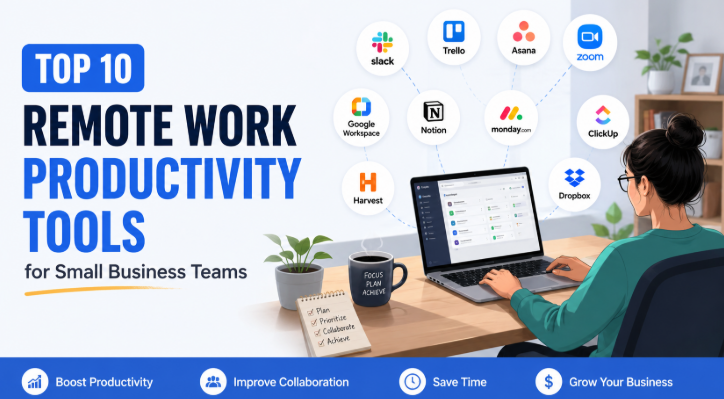


Introduction to Remote Work Productivity Tools
The shift towards remote work has been a significant transformation for small business teams, accelerated by global events and advancements in technology. As organizations adapt to a distributed workforce model, the necessity for productivity tools becomes increasingly apparent. These tools empower remote teams to maintain efficiency, enhance communication, and foster collaboration despite the physical distance.
One of the primary challenges faced by remote teams is the potential for communication breakdowns, leading to misunderstandings and decreased productivity. Without the benefit of face-to-face interactions, teams can struggle to synchronize their efforts. Productivity tools address this by offering platforms that facilitate real-time communication and information sharing, ensuring that all members are aligned with their tasks and project goals.
Furthermore, the need for centralized access to resources and documents has made cloud-based tools indispensable. By storing data in the cloud, team members can access essential information from anywhere, reducing delays and promoting a seamless flow of work. This feature is particularly beneficial for small businesses, which often lack extensive IT infrastructures. Cloud-based tools also provide enhanced security measures, allowing organizations to protect sensitive information without the burden of managing complex on-premises systems.
The importance of remote work productivity tools cannot be overstated in an era where flexibility and adaptability are paramount. By leveraging these tools, small business teams can overcome the barriers associated with remote work and create an environment conducive to high performance and innovation. This blog post will explore the top 10 productivity tools that have proven effective for enhancing the efficiency of small business teams working remotely.
Key Features to Look for in Productivity Tools
When selecting productivity tools for small business teams, there are several critical features that should be considered to ensure optimal performance and efficiency. One of the foremost requirements is ease of use. Productivity tools should have an intuitive interface that allows team members to navigate the platform without extensive training. A user-friendly design fosters higher engagement, minimizes errors, and enhances collaboration among team members.
In addition to ease of use, integration capabilities are essential. The productivity tools should seamlessly integrate with other applications and software already in use within the organization. Such integrations can streamline workflows, allowing teams to connect various systems and enhance communication. This feature is especially valuable for small businesses that often rely on multiple tools to manage their operations effectively.
Scalability is another important aspect to consider. As small businesses grow, their needs may change, requiring flexibility in the tools they use. Productivity tools that offer scalable solutions can accommodate increasing team sizes, project complexities, and additional functionalities without sacrificing performance. This adaptability ensures that businesses do not outgrow their tools too quickly and can continue to use them effectively as they expand.
Lastly, mobile access has become a vital feature in today’s work environment. With remote work on the rise, productivity tools should provide robust mobile applications to allow team members to work from anywhere. This capability is crucial for maintaining productivity on the go, enabling communication and collaboration regardless of the location.
In conclusion, choosing the right productivity tools entails evaluating features like ease of use, integration capabilities, scalability, and mobile access to ensure the effectiveness of small business teams.
Project Management Tools: Trello, Asana, and Monday.com
In the context of remote work, effective project management becomes paramount for small business teams seeking to maintain productivity and cohesion. Trello, Asana, and Monday.com are three of the most renowned project management tools available, each providing unique features tailored to enhance team collaboration and task organization.
Trello is a visual project management tool that utilizes boards, lists, and cards, making it intuitive for teams to track progress and prioritize tasks. Its user-friendly interface allows team members to drag and drop tasks among various stages of completion, facilitating a clear visual representation of project workflows. One significant advantage of Trello is its flexibility, which allows users to customize boards according to their specific needs, making it suitable for a wide range of projects, from simple task lists to complex project planning.
Asana, on the other hand, offers a more structured approach to project management. With features such as task assignments, deadlines, and progress monitoring, Asana is geared towards teams needing a comprehensive tool to manage complex projects. Its capability to create subtasks and milestones allows teams to break down larger projects into manageable components, ensuring that nothing falls through the cracks. Additionally, Asana’s reporting features provide valuable insights into team performance, enabling managers to identify bottlenecks and optimize workflow.
Monday.com provides a highly customizable interface, allowing teams to tailor their workflow management processes to fit their unique operational needs. Its variety of templates and automation options enhances efficiency and reduces the time spent on routine tasks. By employing visual dashboards, Monday.com offers real-time project tracking, enabling teams to monitor their progress and collaborate effectively. This adaptability makes it an ideal choice for teams looking to streamline their project management efforts.
Each of these tools—Trello, Asana, and Monday.com—holds the potential to significantly enhance productivity among small business teams. By leveraging the strengths of these platforms, organizations can foster better communication, collaboration, and task organization, which are essential for successful remote work environments.
Communication Tools: Slack and Microsoft Teams
Effective communication is a cornerstone of successful remote work, enabling small business teams to collaborate efficiently regardless of their physical location. In this context, tools such as Slack and Microsoft Teams play a pivotal role in facilitating seamless interaction among team members. Both of these platforms are designed to enhance productivity by centralizing communication and providing an array of features tailored for remote collaboration.
Slack is renowned for its user-friendly interface and versatility. This instant messaging tool allows users to create channels for specific projects, departments, or topics, ensuring that conversations are organized and easily navigable. Additionally, Slack supports direct messaging, enabling private conversations when needed. The platform also integrates with numerous applications, including Google Drive and Trello, promoting a streamlined workflow by allowing file sharing and project management within one environment. Furthermore, Slack features video and voice calling capabilities, enhancing real-time communication and reducing the reliance on email.
On the other hand, Microsoft Teams combines communication with robust collaboration features. Not only does it offer chat functionality similar to Slack, but it also provides comprehensive video calling and meeting scheduling tools. This makes it ideal for small business teams that conduct regular virtual meetings. Microsoft Teams integrates tightly with other Microsoft Office applications, simplifying document sharing and collaborative editing. The platform’s ability to create shared workspaces enhances teamwork by allowing team members to edit files simultaneously, which leads to quicker decision-making and improved project outcomes.
In summary, both Slack and Microsoft Teams are invaluable tools for small business teams navigating the challenges of remote work. Their communication functionalities, including instant messaging, video conferencing, and file sharing, contribute significantly to improving team collaboration and ensuring that productivity remains high, regardless of physical boundaries.
Time Management Tools: Toggl and Clockify
Effective time management is a critical component of maintaining productivity in remote work settings. As remote teams often deal with various distractions and flexible schedules, utilizing time management tools becomes essential to ensure optimal productivity levels. Among the top solutions available, Toggl and Clockify stand out as effective tools to help teams track the time they spend on various tasks.
Toggl is renowned for its user-friendly interface and robust features, making it an excellent choice for small business teams. Through Toggl, users can easily log time on tasks, enabling them to monitor how their hours are allocated. By providing detailed reporting and analytics, users can identify patterns in their work habits, assess productivity levels, and make necessary adjustments to improve efficiency. Additionally, Toggl allows for integration with various project management tools, creating a seamless workflow for teams who depend on collaborative software.
Similarly, Clockify serves as a powerful time tracking tool designed for both individual and team use. It offers a simple and intuitive dashboard where team members can track hours, categorize their activities, and generate reports. Clockify emphasizes transparency by enabling teams to share progress and time logs, facilitating effective communication regarding workload and availability. Moreover, as a free tool with premium features available, Clockify caters perfectly to small businesses seeking to enhance their time management without incurring significant costs.
Both Toggl and Clockify play a crucial role in helping teams measure productivity and identify areas for improvement. By leveraging these tools, businesses can cultivate more focused work environments, leading to enhanced performance and better outcomes. This investment in time management not only streamlines operations but also encourages accountability and fosters a culture of continuous improvement among team members.
Document Collaboration Tools: Google Workspace and Dropbox Paper
In today’s digital age, efficient document collaboration is paramount to the success of small business teams, especially in a remote work setting. Two prominent tools that stand out in this space are Google Workspace and Dropbox Paper. Both platforms provide functionalities that enhance teamwork and foster productivity.
Google Workspace offers a comprehensive suite of applications that facilitate document creation and collaboration. It includes familiar tools like Google Docs, Sheets, and Slides, allowing multiple users to work simultaneously on a document, spreadsheet, or presentation in real time. This real-time editing capability is fundamental; it enables team members to see changes as they happen, minimizing the version control issues commonly associated with document collaboration. Additionally, Google’s commenting feature allows users to leave notes or suggestions directly on the document, sparking discussion and providing context for any changes made.
On the other hand, Dropbox Paper offers a more streamlined approach to document collaboration. This tool allows users to create documents embedded with rich media such as images, videos, and links, making them interactive and visually appealing. Dropbox Paper emphasizes usability with its clean interface, which is designed to enhance the writing and brainstorming processes. It too supports real-time editing, ensuring that teams can collaborate seamlessly regardless of their physical location. Furthermore, users can comment and assign tasks directly within the documents, leading to better organization and clarity in project management.
Both Google Workspace and Dropbox Paper not only enhance document collaboration through features like real-time editing and commenting but also contribute significantly to the overall productivity of small business teams. By facilitating seamless communication and teamwork, these tools help teams achieve their goals more efficiently, making them indispensable for remote work environments.
Cloud Storage Solutions: Dropbox and Google Drive
In the context of remote work, cloud storage solutions have become indispensable for small business teams, enabling seamless collaboration and secure document management. Among the various options, Dropbox and Google Drive stand out due to their extensive features tailored to meet the varying needs of businesses.
Dropbox is known for its user-friendly interface and robust file-sharing capabilities. A significant advantage of Dropbox is its selective sync feature, allowing users to choose which files or folders to sync between devices. This can be particularly useful for teams that need to manage bandwidth effectively, especially when dealing with large files. In terms of storage capacity, Dropbox offers a basic plan that starts at 2 GB but can expand to 3 TB with its paid plans. However, it is essential to note that sharing options can be somewhat limited, as it primarily relies on invitation-based access.
On the other hand, Google Drive integrates deeply with other Google Workspace applications, making it an ideal choice for teams that utilize tools like Google Docs, Sheets, and Slides. This integration fosters real-time collaboration, allowing multiple users to work on the same document simultaneously. Google Drive offers a generous storage capacity starting from 15 GB which is shared across all Google services. Moreover, its sharing capabilities are robust, as users can generate shareable links and set different levels of access permission for collaborators.
Both platforms prioritize security, employing various encryption strategies to safeguard data. Dropbox provides file recovery options that allow for restoring deleted files as well as version history, which can be critical for businesses concerned about data loss. Conversely, Google Drive offers two-step verification and employs advanced security protocols to ensure safe file storage and sharing.
In conclusion, choosing between Dropbox and Google Drive depends on specific business requirements and existing workflows. Both solutions offer unique benefits that can significantly enhance productivity for remote teams, ensuring that vital business documents are not only accessible but also securely managed.
Tools for Automation: Zapier and IFTTT
In the current landscape of remote work, automation tools play a pivotal role in enhancing productivity for small business teams. Two of the most effective automation platforms available are Zapier and IFTTT (If This Then That). These tools allow teams to automate repetitive tasks, significantly saving time and reducing the potential for human error.
Zapier enables users to connect various applications, automating workflows without requiring extensive coding knowledge. For instance, when a new entry is added to a Google Sheet, Zapier can automatically create a task in project management software like Trello or Asana. This seamless integration allows small business teams to focus on higher-value tasks by minimizing the time spent on manual data entry and routine updates.
On the other hand, IFTTT offers a more user-friendly approach by utilizing simple conditional statements to perform automation. Users can create “applets” that trigger specific actions in response to particular events. For example, if a new email arrives in Gmail, an IFTTT applet can automatically save any attachments to Dropbox. This functionality empowers small business teams to maintain organization and ensure that important documents are always accessible in their designated locations.
Both tools present unique advantages tailored to different needs within small businesses. By implementing Zapier or IFTTT, teams can optimize their workflows, increase efficiency, and create a more integrated operational ecosystem. Ultimately, choosing the right automation tool depends on the team’s specific requirements and the range of applications they utilize. Embracing automation not only spares valuable time but also enhances accuracy, thereby boosting overall productivity for small business teams.
Conclusion and Future Trends in Remote Work Tools
In recent years, remote work has transitioned from a temporary solution to a fundamental aspect of business operations. As small business teams increasingly adopt remote working practices, the integration of productivity tools has become essential for enhancing collaboration, efficiency, and communication. These tools not only streamline workflow but also foster a sense of unity among dispersed team members. Consequently, productivity tools have emerged as invaluable assets, enabling small businesses to remain competitive in an evolving marketplace.
Looking ahead, several trends are shaping the development of remote work technology. First, there is a growing emphasis on artificial intelligence (AI) and machine learning (ML) applications in productivity tools. These technologies are being utilized to automate routine tasks, analyze team performance, and provide valuable insights that support informed decision-making. As AI continues to advance, small businesses will benefit from tools that can proactively manage workload and enhance overall team productivity.
Another notable trend is the focus on employee well-being and mental health. As remote work can sometimes result in feelings of isolation, many productivity tools are integrating features that promote work-life balance, such as virtual breaks, wellness reminders, and opportunities for social interaction among team members. By prioritizing employee health, businesses can improve retention rates and overall work satisfaction.
Finally, cybersecurity remains a priority as remote work becomes more prevalent. Businesses must invest in secure communication tools and data protection measures to safeguard sensitive information. By adopting robust cybersecurity practices, small business teams can work confidently and maintain trust with clients and partners.
In conclusion, the importance of integrating effective productivity tools for remote work cannot be overstated. As small businesses continue to adapt to the changing work environment, embracing emerging trends will ensure they remain agile and prepared for the future.